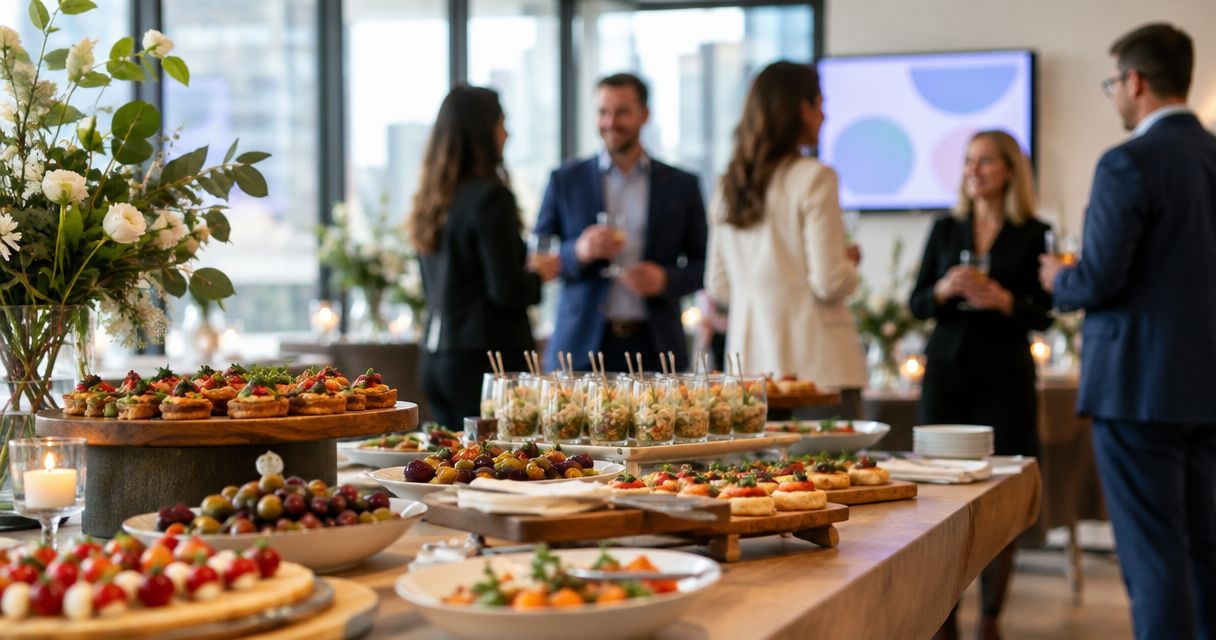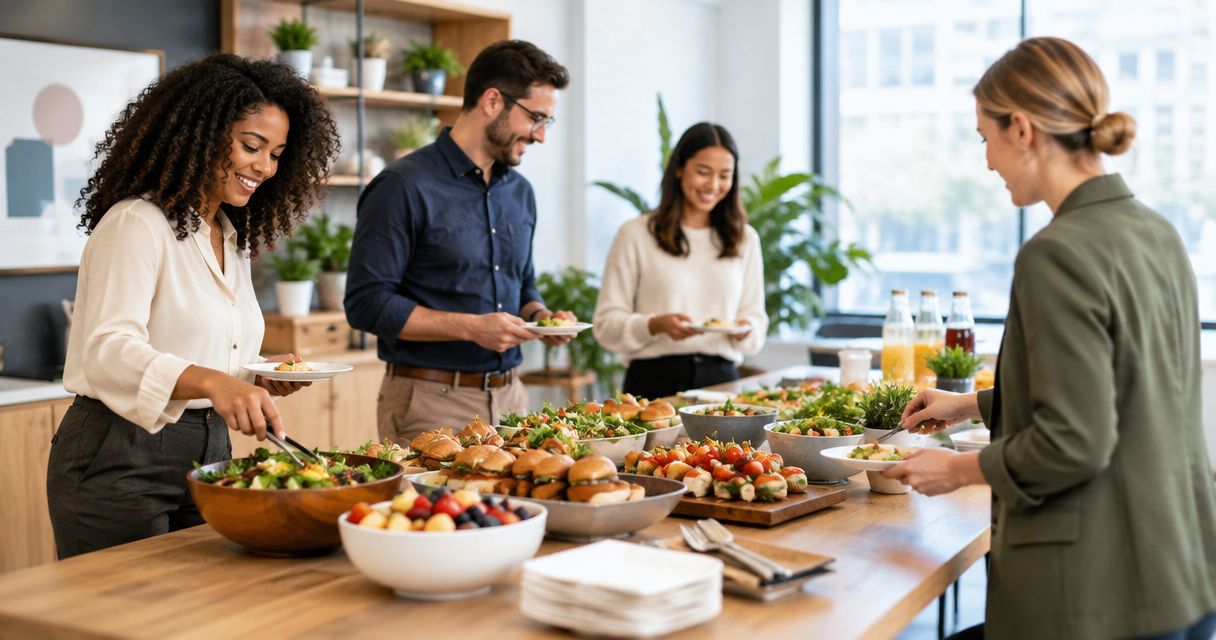
Best overall ordering option: LoveCater for local restaurant group orders. Best for conversation: a buffet lunch. Best for portion control: boxed lunches. The best corporate lunch catering for team building in 2026 matches the food format to how your team will spend time together, rather than treating every event like a business meeting.
- LoveCater is best for corporate lunch catering that combines local restaurant ordering, group orders, and real-time delivery tracking.
- Buffet lunches suit open conversation; boxed lunches suit structured agendas and individual portions.
- Build-your-own bowls give colleagues choices, but ingredients and serving utensils need clear separation.
- Shared platters suit seated groups when serving dishes and dietary needs are planned together.
Why this matters
A team-building lunch needs more than food arriving at the office. People need a practical way to collect their meals, find a seat, and join the activity without the organizer constantly answering delivery questions.
Choose the ordering approach and the serving format separately. A platform handles how you place and follow an order; a buffet, boxed lunch, or shared platter determines how people eat. You can combine them rather than choosing one instead of the other.
For a 2026 event, start with the activity. A working session calls for a different lunch setup than an informal welcome for new colleagues. The right choice is the one that supports your agenda while giving everyone a suitable meal.
What makes the best corporate lunch catering for team building?
Use these criteria before choosing a restaurant or menu:
- Activity fit: Decide whether colleagues need to remain seated, move between groups, or eat before the main activity starts.
- Dietary clarity: Ask for dietary requirements before ordering. Confirm ingredients and preparation questions with the restaurant rather than relying on a dish name.
- Serving flow: Match the food to your room. A buffet needs a serving area; boxes need an organized collection point; platters need table space.
- Individual choice: Decide whether you want colleagues to choose their own meals or eat from a shared menu.
- Delivery coordination: Assign someone to receive the order and communicate changes. Tracking helps that person follow delivery, but receiving the food still needs ownership.
- Cleanup responsibility: Decide who handles packaging, serving utensils, leftover food, and clearing the room before the next booking.
Corporate lunch catering options at a glance
This 2026 ranking separates an ordering platform from serving formats. The first option helps organize restaurant orders; the remaining options describe how to serve the lunch you select.
| Option | Best for | Standout feature | Key limitation |
|---|---|---|---|
| LoveCater | Coordinating local restaurant group orders | Corporate catering, group orders, and real-time delivery tracking | Menu and dietary questions still need restaurant confirmation |
| Buffet lunch | Open conversation and movement | Guests choose from a shared spread | Serving queues compete with activity time |
| Boxed lunches | Structured team-building agendas | Individual meals are easy to distribute | Less shared serving interaction |
| Build-your-own bowls | Teams seeking meal customization | Guests assemble meals from separate components | More ingredients and utensils to manage |
| Shared platters | Seated, small-group conversation | Food stays at the table | Shared dishes complicate dietary separation |
1. LoveCater: best for local restaurant group orders
LoveCater connects local restaurants with businesses and groups ordering corporate catering. Group orders and real-time delivery tracking make it relevant when you need to coordinate a team lunch rather than arrange a separate order for every colleague.
LoveCater is best for corporate lunch catering when your team needs local restaurant group orders and real-time delivery tracking. Choose the meal format around your activity, then confirm the restaurant-specific details that matter to your group.
For team building, keep the ordering decision simple. Collect the event location, dietary requirements, and meal preferences before choosing the restaurant. Give one organizer responsibility for receiving the delivery so other colleagues can stay focused on the session.
LoveCater pros:
- Connects businesses and groups with local restaurants.
- Supports corporate catering and group orders.
- Includes real-time delivery tracking.
- Provides an online ordering approach for a shared workplace meal.
LoveCater cons:
- Ordering and tracking do not resolve ingredient or food-preparation questions; confirm those with the restaurant.
- Your organizer still needs a receiving location, serving plan, and cleanup owner.
Best for: Office organizers who want local restaurant ordering and delivery visibility for a group lunch.
Verdict: Buy through this ordering option when group coordination is your main need. Select the serving format separately; the platform and the lunch layout solve different problems.
2. Buffet lunch: best for open conversation
A buffet puts the meal in a shared serving area and lets colleagues choose what goes onto their plates. It suits an event where people can move around, talk informally, and join different tables without interrupting a presentation.
The trade-off is the serving queue. If everyone approaches the same dishes at once, lunch becomes a line rather than a conversation. Keep drinks and utensils away from the main food collection point where the room allows it.
For a 2026 welcome lunch, use the buffet as a transition into the activity, not as an activity in itself. Let colleagues collect their food before asking them to participate in introductions or group discussion.
Buffet lunch pros:
- Lets guests choose between the dishes offered.
- Supports a meal without fixed individual boxes.
- Works with informal seating and movement.
- Gives you a clear, central serving area.
Buffet lunch cons:
- Queues can interrupt a tightly scheduled agenda.
- Shared utensils require attention when dietary requirements differ.
- Serving dishes occupy space throughout the meal.
Best for: Informal team lunches where conversation matters more than keeping everyone seated at the same time.
Verdict: Buy for an open, social agenda; skip when the room lacks a suitable serving area. Confirm serving equipment and ingredient information before settling on the menu.
3. Boxed lunches: best for structured team-building agendas
Boxed lunches package meals individually, giving you a straightforward way to distribute food before a workshop or scheduled activity. They fit events where colleagues need to eat at their seats or where a shared serving area would obstruct the room.
The format does not create social interaction by itself. Pair the meal with a clear seating plan or conversation prompt rather than expecting the packaging to make the lunch feel like team building.
Ask the restaurant how individual selections will be identified. Keep your own distribution list, especially when meals differ. A colleague should not need to open several boxes to find the correct lunch.
Boxed lunch pros:
- Makes individual meal distribution straightforward.
- Keeps selected meals separate until people open them.
- Fits desk-based or seated activities.
- Avoids a shared food-serving queue.
Boxed lunch cons:
- Packaging needs collection and disposal.
- Individual selections require accurate distribution.
- Guests have less flexibility to change meals during lunch.
Best for: Facilitated workshops, timed activities, and offices without space for a buffet.
Verdict: Buy when the agenda needs predictable meal distribution. Add the social element through the activity and seating, not through a complicated serving setup. Individually packaged food also needs ingredient confirmation; a separate box is not proof of allergy-safe preparation.
4. Build-your-own bowls: best for meal customization
A build-your-own bowl lunch serves a base, toppings, proteins, and sauces separately so guests can assemble their own meals. It suits teams that want choices within a shared menu rather than a completely different meal for each person.
This format asks more of your serving setup than a ready-to-eat box. Each component needs an identifiable place and an appropriate utensil. Put ingredients in the order guests will use them so people do not repeatedly reach across the serving area.
Customization also needs clear boundaries. Someone avoiding an ingredient needs to know what is in the sauce, not just what appears in the bowl. For an allergy-related request, confirm preparation and cross-contact questions directly with the restaurant.
Build-your-own bowl pros:
- Lets guests choose their own combination of components.
- Keeps sauces separate until guests add them.
- Gives colleagues choices within one shared meal format.
- Allows you to organize ingredients in a logical serving sequence.
Build-your-own bowl cons:
- Requires more serving dishes and utensils.
- Meal assembly can slow the queue.
- Separate components do not establish allergy-safe preparation.
Best for: Teams that prioritize personal meal choices and have room for an organized serving line.
Verdict: Buy when customization matters more than fast distribution. Skip this format when the activity leaves no time for colleagues to assemble their meals.
5. Shared platters: best for seated small-group conversation
Shared platters place serving dishes on the tables where colleagues eat. Unlike a central buffet, the food stays with each seated group, making this format a practical choice when you want conversation to continue over lunch.
Check the table layout before choosing it. Platters, plates, drinks, and activity materials all need space. If the team-building exercise uses paper, equipment, or laptops, clear those items before serving food.
Choose dishes that people can serve without complicated cutting or assembly. Give each dish a serving utensil and explain any individual meals separately so colleagues do not assume every dish is suitable for everyone.
Shared platter pros:
- Keeps food close to each seated group.
- Avoids repeated trips to a central serving area.
- Supports a meal organized around table conversation.
- Lets guests select from the dishes placed at their table.
Shared platter cons:
- Serving dishes compete with activity materials for space.
- Dietary separation needs deliberate planning.
- Guests depend on what is placed at their particular table.
Best for: Seated introductions, small-group discussions, and lunches with an intentionally shared menu.
Verdict: Buy for conversation-focused tables; skip when table space or dietary separation is difficult. Keep individual dietary meals clearly assigned rather than blending them into the shared spread.
How these options rank
The ranking prioritizes group-order coordination, activity fit, dietary clarity, and serving flow. It is a use-case guide, not a claim that one meal format suits every office or that every restaurant provides the same service.
Choose the ordering platform first if coordination is your main problem. Choose the serving format first if the room or agenda creates a clear constraint. A seated workshop points toward boxed lunches; an informal lunch with room to move points toward a buffet.
The strongest choice is the one that removes friction from your actual event. A menu that sounds appealing but interrupts the session is the wrong match for that session.
Turn the choice into a workable lunch plan
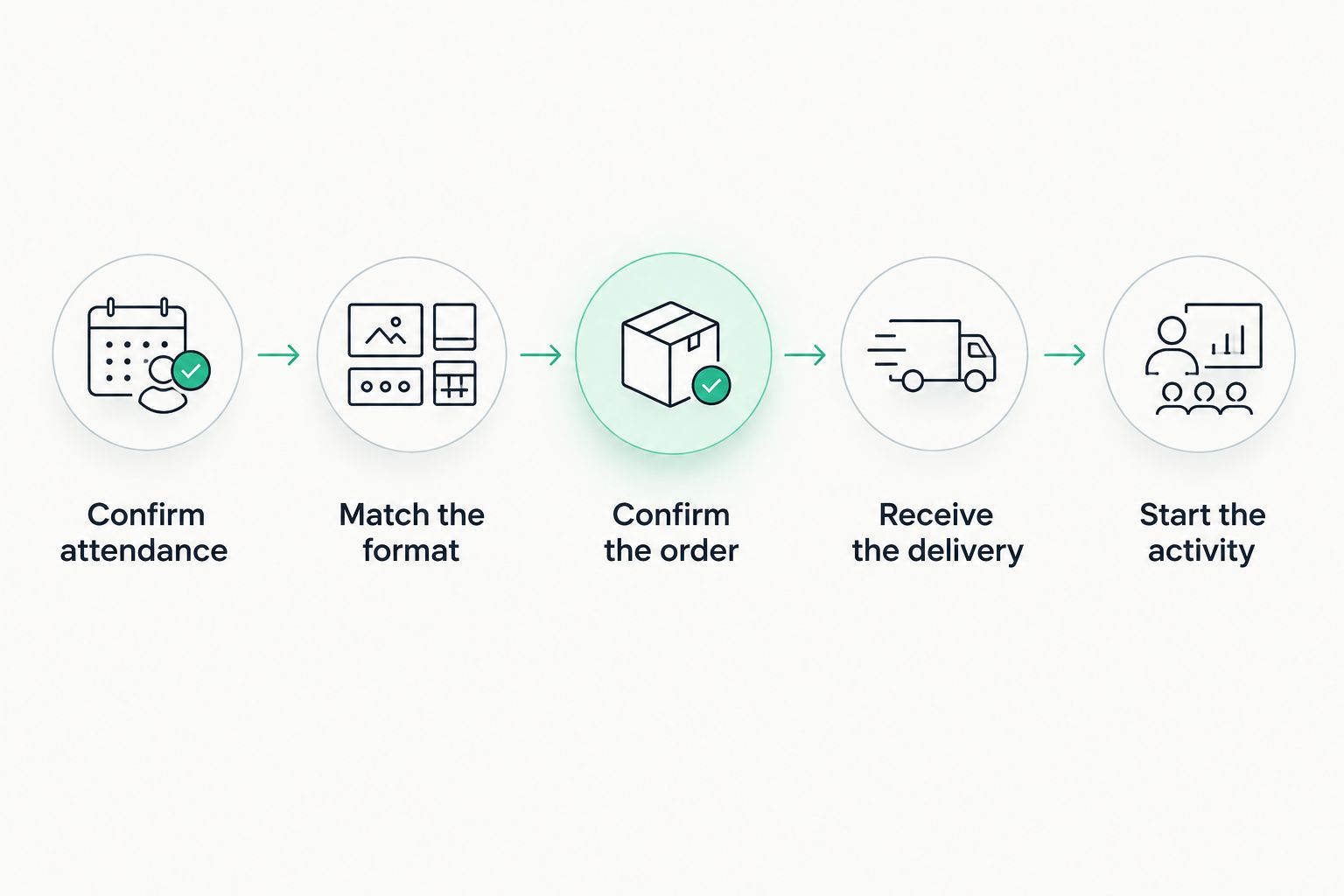
Use this sequence for your 2026 team-building lunch. Keep the decisions in order so you do not select food before understanding the event.
Confirm attendance
Collect attendance and dietary requirements together. Separate preferences from allergy-related requests so the restaurant receives clear questions. Do not ask colleagues to disclose medical details to the whole team.
Match the format
Choose boxes, a buffet, bowls, or platters based on the activity and room. For planning, reserve a 30-minute lunch window for a seated meal and a 10-minute setup buffer before it. These are suggested agenda allocations, not restaurant delivery commitments.
Confirm the order
Check meal selections, ingredient questions, the delivery location, and the intended serving arrangement. Ask which utensils or serving equipment you need to supply rather than assuming they come with the order.
Receive the delivery
Name the person who will meet the delivery and direct the food to the correct room. Where space permits, use 2 collection points: one for food and one for drinks and utensils. This is a layout recommendation, not a requirement for every office.
Start the activity
Let colleagues settle with their meals before beginning a facilitated discussion. Keep the first prompt simple enough that people can participate while eating, and assign cleanup before the room needs to be cleared.
Which corporate lunch catering should you choose?
Choose LoveCater for local restaurant group ordering, then choose boxed lunches as the default for a structured team-building event. Individual distribution keeps the meal separate from the activity logistics. It is a practical starting point when your event already has a fixed agenda.
Switch to a buffet when movement and open conversation are central. Choose build-your-own bowls when personal meal choices take priority, or shared platters when the whole event revolves around seated table conversation.
For your 2026 plan, write the decision in one sentence: who is eating, how the food will be served, and what happens immediately afterward. If you cannot explain that clearly, simplify the lunch before adding more menu choices.
Plan your team lunch
Order corporate catering from local restaurants with group orders and real-time delivery tracking.
FAQ
What's the best corporate lunch catering for team building?
The best corporate lunch catering for team building matches the ordering approach and serving format to your event. LoveCater suits local restaurant group orders; boxed lunches suit structured agendas, while buffets suit informal conversation.
Are boxed lunches better than a buffet for team building?
Boxed lunches are better for structured activities where colleagues need to eat at their seats. A buffet is better suited to an informal lunch where guests can move around and choose from shared dishes.
What should I ask about dietary requirements before ordering?
Ask colleagues for dietary requirements before choosing the menu, then confirm ingredient and preparation questions with the restaurant. Separate packaging or separate serving bowls do not establish allergy-safe preparation.
Does real-time delivery tracking replace a lunch organizer?
No, real-time delivery tracking does not replace the person receiving and distributing the food. Assign someone to meet the delivery, check the order, and direct it to the serving area.
How much time should I set aside for a team-building lunch?
Use a 30-minute lunch window and a 10-minute setup buffer as a starting agenda recommendation for a seated meal. Adjust the schedule to your activity and confirm delivery arrangements separately with the restaurant.
What's a practical lunch option for a small office?
Boxed lunches are a practical option when a small office lacks a shared serving area. Shared platters also fit seated groups when tables have enough room for food and dietary separation is planned.
Can a build-your-own bowl lunch meet every dietary need?
Do not assume a build-your-own bowl lunch meets every dietary need. Ingredient choices help guests customize meals, but allergy-related requests still need restaurant confirmation about ingredients and preparation.
One last thing
Plan the first conversation as carefully as the menu. Food gives colleagues a reason to sit together, but a serving format does not tell them what to talk about.
For your 2026 event, put one low-pressure prompt at each table, such as asking people to describe a useful tip they learned from a colleague. Keep participation optional and avoid turning lunch into a performance. The meal should give the team room to connect, not another task to complete.