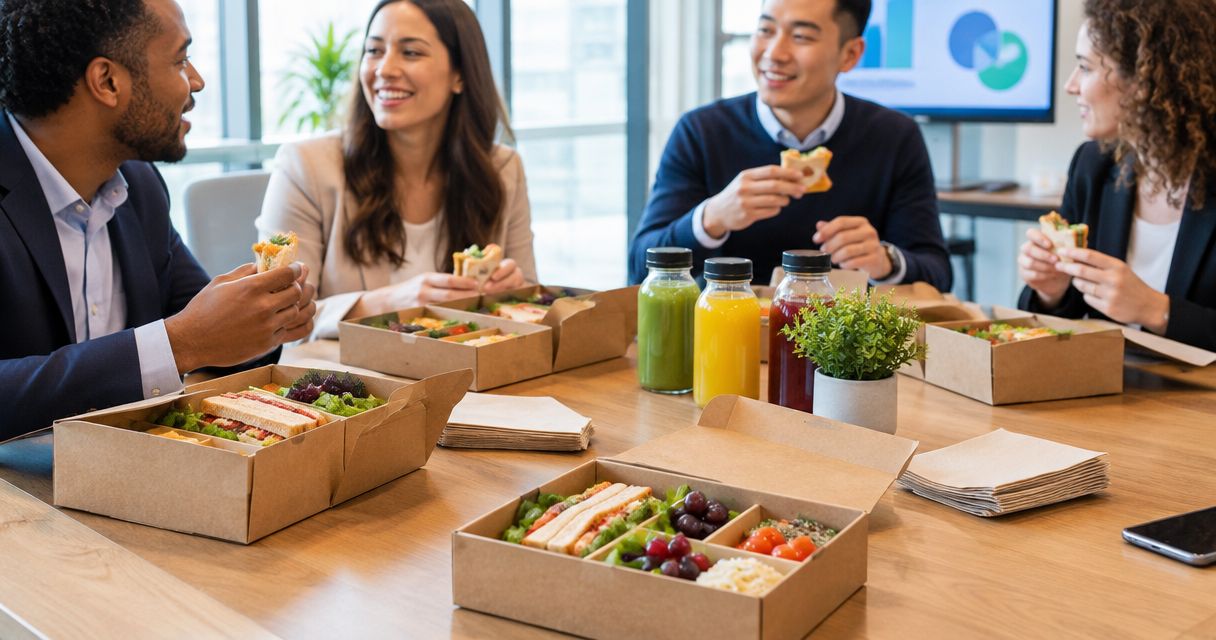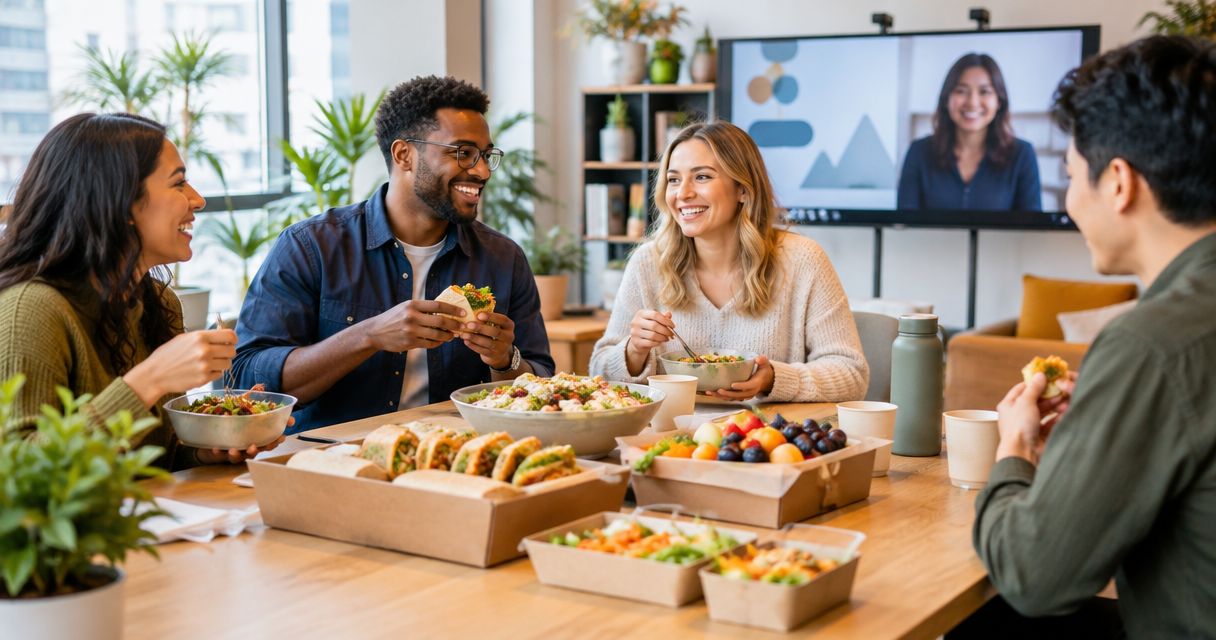
Best overall for shared office days: LoveCater group orders. Best for short lunch breaks: individually boxed meals. Best for distributed colleagues: location-specific restaurant orders. Best for budget control: employee-arranged meals with a defined reimbursement limit. This 2026 guide matches each option to where your team eats and how you manage the order.
- LoveCater is the best office catering for remote teams gathering onsite and needing group orders with real-time delivery tracking.
- Choose boxed meals for individual handoffs and buffet catering for teams eating together.
- Use location-specific restaurant orders when remote colleagues eat at separate addresses.
- Employee-arranged meals suit distributed teams that prioritize personal choice and defined reimbursement rules.
Why this matters
A hybrid lunch has two separate jobs: feed the people in the office and include colleagues elsewhere. An office delivery solves the first job, not automatically the second. Decide where people will eat before choosing the ordering method.
LoveCater is best for hybrid teams that need local-restaurant office catering, group orders, and real-time delivery tracking. For colleagues joining from home, choose a separate meal arrangement that fits their location rather than assuming an office order covers everyone.
The best office catering for remote teams in 2026 starts with a location decision, not a restaurant shortlist. Your food format, delivery instructions, and participation plan should follow that decision.
What makes the best office catering for remote teams
Use these criteria to choose an ordering model before comparing menus:
- Location fit: Distinguish between one office destination and colleagues eating at separate addresses. A shared meeting does not mean a shared delivery.
- Meal choice: Decide whether each person needs an individual meal selection or whether a shared menu fits the occasion.
- Dietary clarity: Collect requirements before ordering and confirm ingredients, substitutions, and handling directly with the restaurant.
- Delivery visibility: Assign someone to monitor the order and receive it. Real-time tracking supports that task but does not replace a receiving plan.
- Distribution effort: Account for collecting boxes, setting up trays, identifying meals, and clearing the eating area.
- Spending control: Define what the organization will cover before colleagues order, including how any reimbursement arrangement works.
These criteria rank the options by their strongest use case. No single meal format handles an office gathering, a scattered team, and a short working lunch equally well.
Office catering options at a glance
The comparison below separates an ordering platform from meal formats and distributed-team arrangements. You can combine them: a group order can contain boxed meals, while a hybrid event can pair office catering with a separate remote-meal plan.
| Option | Best for | Standout feature | Key limitation |
|---|---|---|---|
| LoveCater group orders | Coordinating local-restaurant meals for office gatherings | Corporate catering, group orders, and real-time delivery tracking | Remote colleagues still need an arrangement matched to their location |
| Individually boxed meals | Short breaks and separate meal handoffs | Each meal stays separate during distribution | Individual selections require careful matching at handoff |
| Shared buffet catering | Teams eating together in a common space | Shared serving setup | Requires space, serving arrangements, and ingredient clarity |
| Location-specific restaurant orders | Remote colleagues eating at separate addresses | Food is ordered for each participating location | Each destination needs its own delivery coordination |
| Employee-arranged meals | Distributed teams prioritizing personal choice | Colleagues select their own meals | Reimbursement rules and administration become your responsibility |
1. LoveCater: best office catering for shared hybrid days
LoveCater connects businesses and groups with local restaurants for online catering and food ordering. Its stated features include group orders, corporate catering, and real-time delivery tracking. That makes it the first choice here when your hybrid team comes together at the office.
Start with the office gathering itself: who will attend, where food should arrive, and who will receive it. Then decide how remote participants will join the meal. Treat their arrangement as a separate planning task rather than an assumed extension of the office delivery.
LoveCater pros:
- Connects businesses and groups with local restaurants.
- Supports group orders and corporate catering.
- Provides real-time delivery tracking.
- Fits a shared office meal organized through online ordering.
LoveCater cons:
- An office catering order does not itself feed colleagues at other addresses.
- The organizer still needs to coordinate receiving and meal distribution.
- Dietary requirements need restaurant-level confirmation before ordering.
Best for: Hybrid teams gathering onsite that want local-restaurant catering with group ordering and delivery visibility.
Verdict: Buy for shared office days; arrange remote participation separately. Use the platform for the gathering it fits, rather than treating every employee location as one catering destination.
2. Individually boxed meals: best for quick lunch handoffs
Individually boxed meals keep each person's food separate during distribution. They suit working lunches, staggered breaks, and events where attendees take a meal to their seat rather than serving themselves from shared trays.
The benefit comes from the format, not a particular restaurant. Ask how the restaurant identifies meal selections and dietary variations, then organize the receiving area so attendees can find the right meal without opening other boxes.
Individually boxed meals pros:
- Keep individual meals separate at handoff.
- Avoid a shared serving line.
- Support different meal selections within the same gathering.
- Let attendees carry their meals to separate seating areas.
Individually boxed meals cons:
- Similar-looking boxes create confusion without clear identification.
- Packaging creates a disposal task after lunch.
- Separate containers do not establish allergen-safe preparation.
Best for: Office attendees taking short breaks or eating in different parts of the workplace.
For a 2026 hybrid meeting, use boxed meals when distribution matters more than a shared dining setup. Keep any remote meal plan separate, and do not present packaging as evidence of dietary safety.
Verdict: Buy for fast handoffs; skip when you want a shared buffet experience.
3. Shared buffet catering: best for a communal office lunch
Shared buffet catering places food in a common serving area so attendees choose from the menu provided. It fits team lunches and gatherings where people eat together and have room to move between the food and their seats.
Plan the serving area alongside the menu. You need suitable space, serving utensils, ingredient information, and someone responsible for setup. Confirm food-handling instructions with the restaurant rather than treating delivery as the end of the job.
Shared buffet catering pros:
- Lets attendees choose among the dishes provided.
- Centers the meal around a common dining area.
- Avoids assigning every dish to a named recipient.
- Fits gatherings where serving and eating together are part of the event.
Shared buffet catering cons:
- Needs serving space and setup work.
- Shared utensils complicate the management of dietary restrictions.
- Colleagues outside the office cannot participate in the same food setup.
Best for: Teams eating together in an office with a suitable shared space.
Keep dietary alternatives identifiable and ask the restaurant about handling requirements. A dish description is not enough to resolve an allergy concern.
Verdict: Buy for communal lunches; skip when space or separate meal handling is the priority.
4. Location-specific orders: best for separate remote addresses
Location-specific restaurant orders treat each participating address as its own destination. Instead of sending everything to the office, you coordinate food around where colleagues will actually eat. This is a planning model, not a claim that any named platform supports every destination.
Confirm that the chosen restaurant serves the relevant address before inviting someone to select a meal. If employees join from different places, track each order separately and provide a clear contact for delivery questions.
Location-specific restaurant orders pros:
- Match the food destination to the participant's location.
- Let you consider restaurant choices separately for each area.
- Include remote colleagues without asking them to collect office food.
- Separate local delivery arrangements from the shared meeting agenda.
Location-specific restaurant orders cons:
- Each destination requires coordination and delivery instructions.
- Separate orders do not establish synchronized arrival.
- Different restaurant selections make one uniform menu harder to organize.
Best for: Remote colleagues eating at separate addresses during a shared team event.
For distributed lunches in 2026, make participation flexible enough to handle different delivery outcomes. Confirm addresses privately and explain what colleagues should do if their food has not arrived when the meeting begins.
Verdict: Buy for address-level participation; skip if you need one centrally received delivery.
5. Employee-arranged meals: best for personal choice and spending rules
Employee-arranged meals let colleagues select food themselves under an agreed reimbursement policy. The organization defines the rules; each participant handles their own meal choice. This is a workplace arrangement, not a feature attributed to an ordering platform.
Write the policy before the event invitation. Explain eligible expenses, the approval process, receipt requirements, and how reimbursement is requested. Clear rules matter more than trying to make every location use the same restaurant.
Employee-arranged meals pros:
- Give colleagues control over their meal choice.
- Avoid centrally coordinating every delivery address.
- Let participants choose around their own schedule.
- Establish spending boundaries when the policy defines them.
Employee-arranged meals cons:
- Receipt collection and reimbursement require administration.
- Employees handle ordering problems themselves unless you provide support.
- Participation can be awkward when colleagues must pay upfront.
Best for: Distributed teams that want personal choice and can administer a clear reimbursement process.
Do not assume this arrangement is cheaper than office catering. Its advantage here is spending control through policy, not a proven reduction in meal costs.
Verdict: Buy for flexible choice with clear rules; skip when upfront payment would exclude participants.
How these options rank
The ranking follows location fit, meal choice, dietary clarity, delivery visibility, distribution effort, and spending control. The first option fits coordinated office gatherings; the remaining options each address a different operational need. This is a use-case ranking, not a claim of measured service performance.
Boxed meals rank above buffets for separate handoffs, not for every lunch. Location-specific orders rank above a single office delivery when participants eat elsewhere. Reimbursement fits personal choice when your organization can support the administration.
Plan the meal before choosing the menu
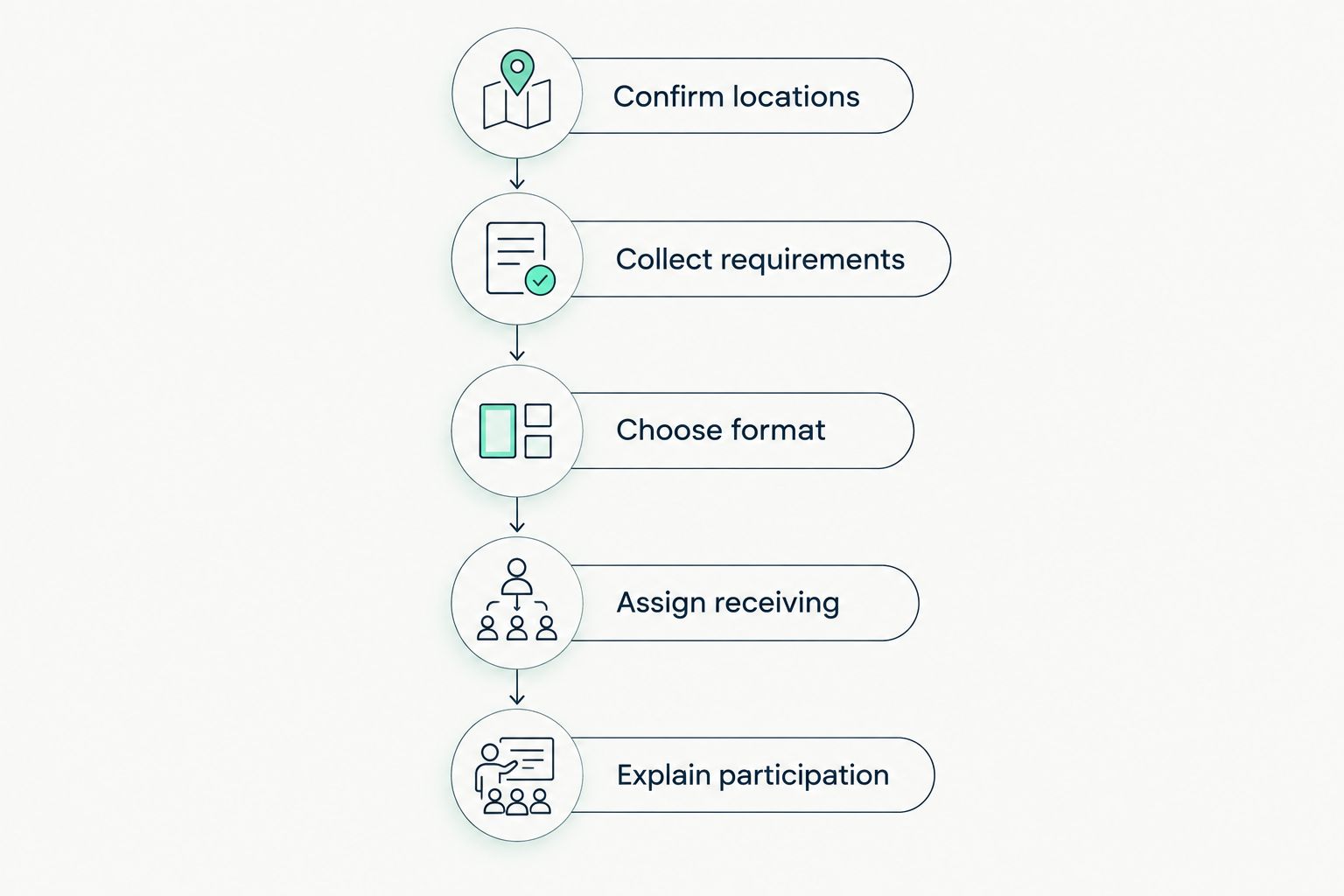
For your 2026 team lunch, settle these decisions in order. The sequence keeps meal selection tied to attendance rather than an outdated assumption about who will be onsite.
Confirm locations
Ask where each participant will eat and distinguish office attendees from remote colleagues. Confirm delivery details privately. A calendar invitation alone does not establish the food destination.
Collect requirements
Gather meal preferences and dietary requirements before selecting the menu. Ask the restaurant to clarify ingredients and handling where needed. Do not substitute a broad menu label for a direct answer about an allergy.
Choose format
Choose boxed meals for separate handoffs, a buffet for shared serving, or local arrangements for separate destinations. You can combine formats across the event without making every participant follow the office setup.
Assign receiving
Name the person who will receive the office order, monitor delivery information, and direct attendees to their meals. For remote orders, explain who owns each delivery question and how participants should report a problem.
Explain participation
Tell everyone how the meal connects to the meeting. State whether food is part of a scheduled break or an optional accompaniment, and explain the remote arrangement before colleagues need to act.
Which office catering option should you choose?
Choose group ordering as the default for a shared office day, then choose the meal format around your schedule. Boxed meals fit separate handoffs. Buffet catering fits a common eating area. Neither format replaces a plan for colleagues at other addresses.
For a fully distributed team, start with location-specific orders or employee-arranged meals. Choose centralized coordination when you want to organize each destination; choose reimbursement when individual choice matters and your policy supports it.
Plan your next office meal
Explore local-restaurant catering, group orders, and real-time delivery tracking with LoveCater.
FAQ
What's the best office catering for remote teams?
The best option depends on where the team eats. LoveCater fits hybrid teams gathering onsite for local-restaurant catering with group orders and real-time tracking; separate remote addresses need their own meal arrangement.
Are boxed meals better than a buffet for hybrid teams?
Boxed meals are better for separate handoffs, while a buffet fits people eating together in a shared space. Neither format automatically includes colleagues eating away from the office.
How do I include remote employees in an office lunch?
Arrange food around remote employees' actual locations through location-specific orders or a defined reimbursement policy. Explain the arrangement before the event so colleagues know how to participate.
Does real-time tracking replace a delivery contact?
No, real-time tracking does not replace a delivery contact. Assign someone to receive the order, provide access instructions, and handle questions when the food arrives.
How should I handle dietary requirements for team catering?
Collect dietary requirements before ordering and confirm ingredients and handling directly with the restaurant. Separate packaging and broad menu labels do not establish allergen-safe preparation.
Is reimbursing remote employees cheaper than catering?
Reimbursement is a spending-policy choice, not proof of a cheaper meal arrangement. Define eligible expenses and compare the actual order and administrative requirements before choosing.
What should I confirm before ordering a hybrid team lunch in 2026?
Confirm attendance locations, dietary requirements, the meal format, and delivery responsibility. Also explain how remote colleagues will receive or arrange their meals.
One last thing
Make meal participation independent of being on camera. Tell colleagues they can eat off camera or during the planned break, and keep the remote food arrangement clear. A shared lunch should give people a way to join, not create another task they have to perform during a meeting.